


There are over 1 billion active iPhone users worldwide, and Apple’s ecosystem continues to grow year after year. If you’re planning to build a mobile app, ignoring iOS means leaving a massive opportunity on the table.
But here’s where many businesses stumble: choosing the wrong programming language for iOS development. This decision impacts everything—how fast you can launch, what your app costs to build, how well it performs, and how easy it is to maintain down the road. Pick the right language, and you’ll save time and money while delivering an app users love.
Pick the wrong one, and you could face budget overruns, performance issues, and frustrated developers trying to work around limitations.
The good news? You don’t need to be a technical expert to make this decision. You just need to understand your options and match them to your project goals.
In this guide, we’ll walk through the best programming languages for iOS development in 2026. We’ll explain what each language does, when to use it, and help you figure out which one fits your specific needs. Whether you’re building your first app or modernizing an existing one, you’ll know exactly which path to take. Let’s get started.
What is iOS Programming Language?
An iOS programming language is simply the coding language used to create applications for Apple’s ecosystem. This includes apps for iPhones, iPads, Apple Watches, and Apple TVs. These languages provide the foundation that tells your app how to function, how to display content, and how users interact with it.
Think of it as the communication tool between your app idea and Apple’s devices. Just like you need English or Spanish to communicate with people, you need a specific programming language to communicate with iOS devices.
iOS app development languages fall into two categories:
- Native Languages: These are built specifically for Apple devices. Swift and Objective-C are native languages that give you full access to iOS features and deliver the best performance.
- Cross-Platform Languages: These let you write code once and use it on multiple platforms. React Native (JavaScript) and Flutter (Dart) are popular choices when you need your app on both iOS and Android.
What language are iOS apps written in? Most modern iOS apps use Swift, Apple’s current standard. However, you’ll also find apps written in Objective-C (the older standard), JavaScript via React Native, or Dart via Flutter, depending on when they were built and whether they need cross-platform support.
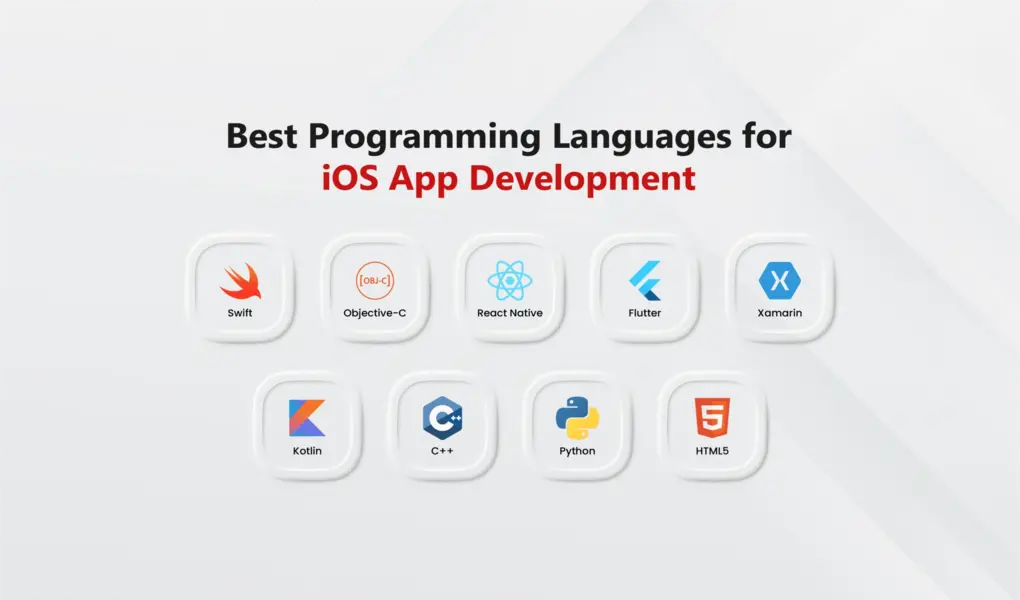
Top iOS Development Languages – Complete List
Building an iOS app isn’t as simple as just writing code and hitting publish. Apple has strict requirements, approval processes, and technical standards that every app must meet before it reaches the App Store. One of your first and most important decisions is choosing which programming language for iOS you’ll use.
The iOS development language you pick affects everything that follows. It determines how quickly you can build, how your app performs, what it costs to maintain, and even how easy it is to find iOS developers who can work on it.
In this section, we’ll break down the best programming languages for iOS development available today. For each language, we’ll explain what it does, when to use it, and what makes it different from the others.
1. Swift
Swift is Apple’s modern programming language for iOS, macOS, watchOS, and tvOS. Introduced in 2014, it’s now the **best language for iOS app development** and what Apple uses for their own apps.
Apple designed Swift to be fast, safe, and developer-friendly. The clean syntax reduces bugs and speeds up development. Swift compiles directly to machine code, delivering excellent performance on Apple hardware.
Key Features:
- Clean, modern syntax that’s easy to read and maintain
- Automatic Reference Counting (ARC) manages memory automatically
- Strong type system catches errors during development
- Interoperability with Objective-C for existing codebases
- Optionals prevent common crash-causing bugs
- Fast compilation and runtime performance
- Regular updates from Apple with new features
- Excellent documentation and learning resources
Best choice for new native iOS apps targeting only Apple devices. Delivers top performance, full iOS feature access, and easier long-term maintenance. Most professional iOS app development projects use Swift today.
2. Objective-C
Objective-C is the original iOS programming language that powered Apple’s ecosystem for over 30 years. Before Swift, every iOS app was built with Objective-C.
While Swift has replaced it for new projects, Objective-C remains important for maintaining older apps. Many companies have large Objective-C codebases that need ongoing updates. The language works seamlessly with Swift, allowing gradual modernization.
Key Features:
- Proven stability with over 40 years of use
- Direct compatibility with C and C++ code
- Dynamic runtime for powerful metaprogramming
- Mature ecosystem with extensive libraries
- Full access to all iOS APIs
- Automatic Reference Counting (ARC) is available
- Strong backwards compatibility
- Works alongside Swift in mixed projects
Needed for maintaining or updating older iOS apps built before Swift. Useful for projects with legacy frameworks or existing codebases not ready for full Swift migration.

3. React Native
React Native is a cross-platform framework by Meta that lets you build mobile apps using JavaScript. Write your code once and deploy it on both iOS and Android, saving significant time and development costs.
The framework uses JavaScript and React, which millions of developers already know. Your JavaScript code translates into native components, so apps feel genuinely native, not like wrapped websites. Companies like Instagram, Uber Eats, and Discord use React Native in production.
For professional React Native app development, experienced developers can help you build quality cross-platform applications efficiently.
Key Features:
- Write once, deploy on both iOS and Android
- Uses JavaScript, widely known among developers
- Hot reload shows changes instantly during development
- Large community with thousands of ready-made components
- Access to native modules when needed
- Faster and cheaper than building separate native apps
- Backed by Meta with regular updates
- Good performance for most app types
Perfect for businesses needing apps on both platforms quickly. Ideal for startups building MVPs or teams with JavaScript experience. Works well when speed and cost savings matter more than maximum native performance.
4. Flutter
Flutter is Google’s cross-platform framework that uses the Dart programming language. Released in 2017, it lets you build apps for iOS, Android, web, and desktop from a single codebase. Flutter stands out for its fast performance and beautiful, customizable user interfaces.
Unlike other cross-platform tools, Flutter doesn’t use native components. Instead, it draws every pixel on screen using its own rendering engine. This gives you complete control over how your app looks and ensures it appears identical on every platform.
Companies like Alibaba, BMW, and Google Pay use Flutter in production apps. The framework’s hot reload feature lets developers see changes instantly, speeding up development significantly.
Key Features:
- Single codebase works on iOS, Android, web, and desktop
- Uses Dart, easy to learn, especially for JavaScript developers
- Hot reload shows changes instantly during development
- Beautiful, customizable UI with built-in Material and Cupertino widgets
- Fast performance with direct compilation to native code
- Consistent look across all platforms
- Growing community with strong Google support
- Excellent documentation and learning resources
- Rich set of pre-built widgets and packages
Ideal when you need apps on multiple platforms with a consistent design. Perfect for startups wanting fast development and businesses prioritizing UI quality. Works well for apps requiring custom, polished interfaces across iOS and Android.

5. Xamarin (C#)
Xamarin is Microsoft’s cross-platform framework that uses C# to build mobile apps. Acquired by Microsoft in 2016, it’s now part of the .NET ecosystem and allows developers to share code across iOS, Android, and Windows platforms.
Xamarin compiles C# code into native binaries, giving you near-native performance. Developers can access platform-specific APIs while sharing business logic across apps. It’s particularly popular with enterprises already invested in Microsoft technologies.
Companies with existing .NET teams find Xamarin attractive because their developers can build mobile apps without learning new languages.
Key Features:
- Uses C#, familiar to millions of .NET developers
- Share up to 90% of code across iOS and Android
- Full access to native APIs and platform features
- Strong type safety catches errors at compile time
- Backed by Microsoft with enterprise support
- Integrates well with Visual Studio development environment
- Xamarin.Forms for shared UI or platform-specific UI options
- Good performance close to native apps
Best for enterprises with existing .NET teams or Windows-focused tech stacks. Makes sense when you need cross-platform apps and already have C# developers. Good choice for business applications requiring Microsoft ecosystem integration.
6. Kotlin
Kotlin Multiplatform is JetBrains’ technology that lets you share code between iOS, Android, and other platforms while keeping native UI for each. Unlike full cross-platform frameworks, it focuses on sharing business logic, networking, and data layers while letting you write platform-specific UI code.
Kotlin became Google’s preferred language for Android in 2019. Kotlin Multiplatform extends this by allowing the same Kotlin code to run on iOS through native compilation. This gives you the benefits of code sharing without sacrificing native performance or user experience.
Companies like Netflix, VMware, and Cash App use Kotlin Multiplatform in production to share core functionality while maintaining fully native interfaces.
Key Features:
- Share business logic across platforms, keep native UI
- Compiles to native code for excellent performance
- Gradual adoption is possible, integrate piece by piece
- Full access to platform-specific APIs when needed
- Strong type safety and modern language features
- Growing ecosystem with official Google and JetBrains support
- Works well with existing iOS and Android codebases
- Native debugging and profiling tools are available
Ideal for teams wanting code sharing without compromising the native feel. Works well when you have experienced native developers who want to reduce duplicate code. Good choice for apps where native UI quality is critical but you want to share backend logic.
7 . C++
C++ is a powerful, high-performance language that works across platforms including iOS. While not commonly used for standard iOS apps, C++ excels in performance-critical scenarios like game engines, graphics processing, and computationally intensive applications.
On iOS, C++ code integrates with Swift and Objective-C through Objective-C++. This lets developers write performance-critical components in C++ while using Swift or Objective-C for the user interface and iOS-specific features.
Major game engines like Unreal Engine and Unity use C++ under the hood. Apps requiring heavy mathematical calculations, real-time processing, or cross-platform game logic often rely on C++.
Key Features:
- Extremely fast execution with low-level hardware control
- Full cross-platform compatibility for shared code
- Direct memory management for maximum efficiency
- Mature ecosystem with extensive libraries
- Integrates with Swift and Objective-C in iOS projects
- Industry standard for game development
- Excellent for computationally intensive tasks
- Large developer community with decades of knowledge
Essential for game development, especially with engines like Unreal. Necessary for apps requiring maximum performance like 3D graphics, AR/VR applications, or real-time data processing. Also useful when sharing complex logic across iOS, Android, and other platforms.
8. Python
Python can be used for iOS development through frameworks like Kivy and BeeWare, though it’s not common for production iOS apps. These frameworks let you write Python code that runs on iOS, but they come with significant limitations compared to native development.
Kivy creates cross-platform apps with a custom UI toolkit, while BeeWare aims to provide native-looking interfaces. Both compile Python code to run on iOS devices, but app size, performance, and App Store approval can be challenging.
Python’s strength lies in backend development, data processing, and web applications. For iOS apps, Python makes sense mainly for proof-of-concepts or when you have a Python-heavy backend and want to prototype quickly. Most serious iOS projects use other languages.
If you need Python developers for your backend systems, that’s where Python truly shines. For iOS front-ends, consider native or mainstream cross-platform options.
Key Features:
- Uses Python, popular for backend and data science
- Kivy provides cross-platform support
- BeeWare offers native-looking widgets
- Quick prototyping for simple apps
- Large Python ecosystem for backend integration
- Good for internal tools or MVPs
- Limited compared to mainstream iOS options
Rarely the right choice for serious iOS apps. Consider it only for quick prototypes, internal tools, or when your entire team only knows Python. For production apps, Swift, React Native, or Flutter are better options.
9. HTML5
HTML5 frameworks like Cordova and Ionic let you build mobile apps using web technologies – HTML, CSS, and JavaScript. These tools wrap your web app in a native container that can access device features and run on iOS.
The approach is straightforward: build a web application and package it as a mobile app. Cordova provides the bridge between web code and native device APIs, while Ionic offers pre-built UI components that look mobile-friendly.
However, this approach has fallen out of favor. Apps built this way often feel slower and less responsive than native apps. Performance issues, limited access to newer iOS features, and a web-like feel make them less competitive today. Most developers have moved to React Native or Flutter for cross-platform needs.
Key Features:
- Uses familiar web technologies (HTML, CSS, JavaScript)
- Single codebase for iOS, Android, and web
- Quick development for simple apps
- Large web developer talent pool available
- Lower cost for basic applications
- Works with popular web frameworks like Angular or Vue
Consider this only for very simple apps, internal tools, or when the budget is extremely tight and performance isn’t critical. For any customer-facing app or one requiring good performance, choose Swift, React Native, or Flutter instead. This approach works best for content-heavy apps that are essentially mobile websites.
Detailed Comparison: iOS Programming Languages
| Language | Development Speed | Performance | Learning Curve | Platform Support | Developer Cost | Best For | Community Support |
|---|---|---|---|---|---|---|---|
| Swift | Fast | Excellent | Medium | iOS only | $80–150/hr | Native iOS apps, best performance | Excellent |
| Objective-C | Slow | Excellent | Hard | iOS only | $80–150/hr | Legacy app maintenance | Good |
| React Native | Very Fast | Good | Easy | iOS, Android | $50–120/hr | Cross-platform MVPs, fast launch | Excellent |
| Flutter | Fast | Very Good | Medium | iOS, Android, Web, Desktop | $50–120/hr | Beautiful UI, cross-platform | Excellent |
| Xamarin (C#) | Medium | Good | Medium | iOS, Android, Windows | $60–130/hr | Enterprise, .NET teams | Good |
| Kotlin Multiplatform | Medium | Excellent | Medium | iOS, Android | $70–140/hr | Shared logic, native UI | Growing |
| C++ | Slow | Excellent | Hard | All platforms | $90–160/hr | Games, performance-critical | Good |
| Python | Fast | Poor | Easy | iOS, Android | $50–110/hr | Prototypes, internal tools | Limited |
| HTML5/Cordova | Very Fast | Poor | Easy | iOS, Android, Web | $40–100/hr | Simple content apps | Declining |
Things to Consider Before Starting iOS App Development
Creating a successful iOS app takes more than choosing the right programming language for iOS. Careful planning before you start development saves time, money, and prevents major problems later. Here are the key factors to think about before building your iOS app.
1. Define Your App’s Purpose
Before anything else, figure out exactly what your app does and why it matters. What problem does it solve? Who needs this solution? What makes your app different from what’s already available?
Start by writing down clear answers to these questions. Apps that solve one specific problem well perform better than apps trying to do everything. Focus on your core value and build from there.
2. Research Your Market and Competitors
Don’t skip market research. Look at similar apps in the App Store. Read their reviews to see what users love and what frustrates them. Find the gaps that existing apps don’t fill well.
Talk to potential users. Ask them about their current solutions and pain points. Create a profile of your target user based on real data, not assumptions. This groundwork guides every decision you make during development.
3. Plan Your Budget Realistically
iOS app development costs vary widely. A simple app might cost $20,000-$50,000. Complex apps with custom features easily reach $100,000 or more. Know what you can spend and build your plan around it.
Include costs for developers, designers, testing, App Store fees, and marketing. Don’t forget ongoing expenses like hosting, updates, and maintenance. Starting with a smaller scope and adding features later often works better than running out of money mid-project.
4. Choose Between Native and Cross-Platform
Decide if you’re building only for iOS or need Android too. Native development with Swift gives you best performance and full iOS features. Cross-platform options like React Native or Flutter let you launch on both platforms faster and cheaper.
Pick native if performance matters most and you’re iOS-only. Choose cross-platform if you need both iOS and Android quickly or have a limited budget. This decision directly affects which iOS development language you’ll use.
5. Decide Which iOS Versions to Support
Not everyone updates iOS immediately. Supporting older versions reaches more users but limits access to newer features. Supporting only recent versions lets you use latest capabilities but excludes some users.
Check current iOS adoption rates. Most apps support the current version plus the previous two, covering about 95% of users. Balance reach against the features you need.
6. Understand App Store Requirements
Apple reviews every app before approval. They have strict guidelines about design, functionality, privacy, and content. Apps that don’t meet these standards get rejected, delaying your launch.
Read Apple’s App Store Review Guidelines before you start building. Design with their requirements in mind from day one. Fixing rejection issues after development is much harder than building correctly from the start.
7. Plan for Long-Term Maintenance
Your app needs updates after launch. New iOS versions require compatibility updates. Users report bugs that need fixing. Competitors add features you’ll need to match.
Budget for ongoing costs including updates, bug fixes, hosting, and support. Plan to spend 15-20% of your initial development cost each year on maintenance. Apps that stop getting updates quickly feel outdated and lose users.
Future Trends in iOS App Development
The iOS programming language landscape keeps changing as technology advances and user expectations evolve. New frameworks, tools, and approaches emerge regularly, changing how developers build iOS apps. Understanding these trends helps you make smarter decisions about your app’s future.
Here’s what’s shaping the future of iOS development:
SwiftUI Becoming the Standard
Apple’s SwiftUI framework is quickly replacing older UI development approaches. It lets developers write less code while building more flexible interfaces that work across all Apple devices.
SwiftUI makes development faster and more efficient. Instead of writing separate code for iPhone, iPad, and Apple Watch, you write once and it adapts automatically. As SwiftUI matures, more developers are adopting it for new projects. Expect this to become the default way to build iOS interfaces within the next few years.
AI and Machine Learning Go Mainstream
Artificial intelligence is moving from novelty to necessity in iOS apps. Apple’s Core ML framework makes it easier to add machine learning features without being an AI expert.
We’re already seeing AI-powered features everywhere – predictive text, smart photo organization, personalized recommendations, and voice recognition. This trend accelerates as Apple releases more powerful chips designed specifically for AI tasks. By 2026, most successful iOS apps will include some form of intelligent, personalized experience.
Cross-Platform Development Grows Stronger
Flutter and React Native continue improving, making cross-platform development more attractive. Companies want to reach users on both iOS and Android without doubling their development costs and time.
These frameworks now deliver performance close to native apps for most use cases. As they mature, the gap between cross-platform and native keeps shrinking. More businesses choose cross-platform approaches to launch faster and maintain one codebase instead of two.
Augmented Reality Becomes Practical
Apple’s investment in AR through ARKit and devices like Vision Pro signals a major shift. AR features are moving beyond games into practical applications for shopping, education, healthcare, and professional tools.
Expect more iOS apps to include AR features over the next few years. Virtual try-ons for shopping, immersive learning experiences, and AR navigation are becoming standard rather than experimental. Apps that incorporate AR well will have a competitive advantage.
Kotlin Multiplatform Gains Ground
Kotlin Multiplatform lets developers share business logic between iOS and Android while keeping native interfaces. It’s growing especially among teams with strong Android experience who want to expand to iOS.
While smaller than React Native or Flutter ecosystems currently, Kotlin Multiplatform is rising fast. It appeals to developers who want code sharing without sacrificing native performance or feel. Watch this space as more companies adopt it for their cross-platform needs.
Privacy and Security Take Center Stage
Apple continues pushing privacy as a key differentiator. New iOS versions bring stricter privacy controls, requiring developers to be more transparent about data collection and usage.
Apps that respect privacy and handle data securely will build more trust with users. Expect regulations and platform requirements around privacy to keep tightening. Building privacy into your app from the start is no longer optional.
App Clips and Lightweight Experiences
App Clips let users access app features without downloading the full app. This trend toward lighter, faster experiences continues growing. Users want instant access without commitment.
More apps will offer lightweight entry points that convert to full installations later. This approach reduces friction and improves user acquisition. If your app can work in smaller pieces, consider how App Clips might fit your strategy.
Conclusion
Choosing the right iOS programming language sets the foundation for your app’s success. We’ve explored nine options – from Swift’s native excellence to React Native’s cross-platform efficiency. Each solves different problems based on your timeline, budget, and platform needs.
The key is matching language to your goals, not chasing perfect technology. Swift delivers best performance for iOS-only apps. React Native and Flutter save time for multi-platform needs. Your choice depends on what matters most to your business.
Ready to turn your app idea into reality? Building a successful iOS app requires both the right technology choice and experienced developers who understand your vision. We’ve helped businesses across industries launch apps that users love. Whether you’re starting fresh or modernizing an existing app, let’s talk about your project and find the best path forward.
Frequently Asked Questions
Which programming language should I choose for my iOS app?
Swift is the best choice for iOS-only apps that need top performance. If you need your app on both iOS and Android, consider React Native or Flutter to save time and money by sharing code between platforms.
How much does iOS app development cost?
Costs depend on complexity and which language you choose. Simple apps cost $20,000-$50,000, while complex apps can exceed $100,000-$200,000. Cross-platform development typically costs 30-40% less than building separate native apps.
Can one codebase work for both iOS and Android?
Yes. Frameworks like React Native and Flutter let you build for both platforms from a single codebase. You’ll save time and money, though you may sacrifice some native performance and features.
Is Objective-C still relevant for my project?
Only if you’re maintaining an existing app built before 2015. For new projects, Swift is the better choice. However, if you’re updating legacy apps, you’ll need developers who know Objective-C.
How long does iOS app development take?
Simple apps take 2-3 months, medium complexity apps need 4-6 months, and complex apps require 6-12 months or more. Cross-platform development is typically 30-40% faster than building separate native apps.
Do I need to hire different developers for iOS and Android?
Not necessarily. If you use React Native or Flutter, one team can build for both platforms. For native development, you’ll need separate iOS (Swift) and Android (Kotlin/Java) developers.
What’s the difference between native and cross-platform development?
Native (Swift) apps offer best performance and full iOS features but cost more and take longer. Cross-platform (React Native/Flutter) apps work on both iOS and Android from one codebase, saving time and money with slightly lower performance.
Will my app run slower if I don’t use Swift?
Not necessarily. React Native and Flutter deliver good performance for most apps. You’ll notice differences mainly in graphics-heavy apps, games, or apps requiring intensive processing. For standard business apps, cross-platform performance is usually fine.